
At around $2,500 USD, the Butterfly Amicus Prime is the most serious robot most players will ever consider buying. It is the flagship of Butterfly’s robot line and one of the most lauded training machines in the sport. The question is whether all that capability translates into a robot you will actually use, week after week, once the novelty wears off.
To answer that, we ran the Prime through several months of real training, partnering with a long-term owner who logged 50+ hours on his own unit across structured weekly sessions. That gave us the kind of post-honeymoon perspective most launch reviews can’t.
This review walks through what the robot actually does, how it feels to use, where it shines, and where it falls short, so you can decide whether it deserves the price tag or whether one of the best table tennis robots at a lower price would suit you better.
After several months of testing, the Butterfly Amicus Prime earns its place at the top of the consumer robot market. The way it generates spin, the speed it can change direction between balls, and the natural rhythm it builds into drills make it the most realistic non-human practice partner we have used.
The app turns the robot from a ball feeder into a programmable coach. You get pre-built drills designed by a former German national team coach, video demonstrations from professional players, the ability to share custom drills with friends or coaches, and a serve-detection mode that lets you practise your third-ball attack solo. The bundled tablet is the only weak link, and any modern phone or iPad fixes that within minutes.
Value is the sticking point. At around $2,500 USD it is hard to justify unless you train alone often, cannot reach a club enough, or run sessions that need spin variation a human partner cannot reproduce.
Perfect for: Serious club players (USATT 1500+) who train 2-4 times a week alone or with limited partner access, and coaches running multi-ball sessions for intermediate-to-advanced students.
Who Makes The Butterfly Amicus Prime?
Butterfly is the Japanese giant most table tennis players already own a piece of. Tenergy rubbers, Viscaria blades, Timo Boll’s racket. They have been at the top of the equipment world since 1950, and that pedigree carries over into their robot line.
The Amicus Prime sits at the top of a three-tier line (Start, Expert, Prime), all built on the same chassis and recycling net but separated by their controllers and feature ceiling. The Prime is the only one with the wireless app, the unlimited custom drills, and the full feature set we cover below.
Owners worldwide also get access to “Fethomania”, a monthly online educational program run by US distributor Bowmar Sports and featuring coach Stefan Feth and robot specialist Larry Thoman. That kind of post-purchase support is rare in this category and is part of what you are paying for.
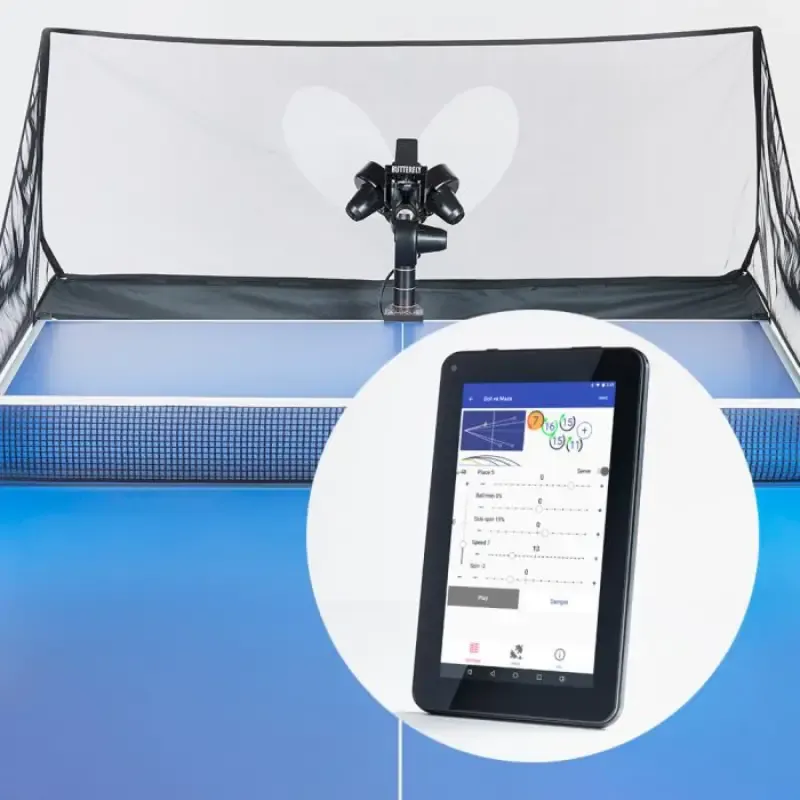
Butterfly Amicus Prime
Key Features
The headline difference between the Prime and any cheaper robot is the three-wheel projection head. Most robots use one or two wheels, which mechanically links speed to spin or forces the entire head to rotate to change spin axis. The Prime arranges three independent wheels in a triangle and varies their speeds individually. Any spin axis (top, back, side, corkscrew, no-spin float) becomes a software command, with no moving parts shifting position to deliver it.
Basic Functions
Speed Control: 25 discrete steps, the equivalent of roughly 1 to 15 m/s, covering everything from a coach-style soft feed to a fast counter-loop.
Spin Variation: Full topspin, backspin, no-spin, left and right sidespin, and corkscrew combinations. Because the Prime can also reverse individual wheels (the Start and Expert can’t), it generates extreme speed-to-spin ratios that a human feeder physically cannot sustain. The classic “ghost serve”, with so much backspin that the ball bounces back over the net, is one of the toggles you can dial in.
Frequency Adjustment: 5 to 120 balls per minute across 115 digital steps. The bottom end is slow enough for technique work; the top end is brutal cardio.
Ball Placement Control: Direction is controlled by a small low-inertia deflector plate that flips trajectories in under half a second. There is no visual “wind-up” for the player to read, which is critical for realistic footwork training.
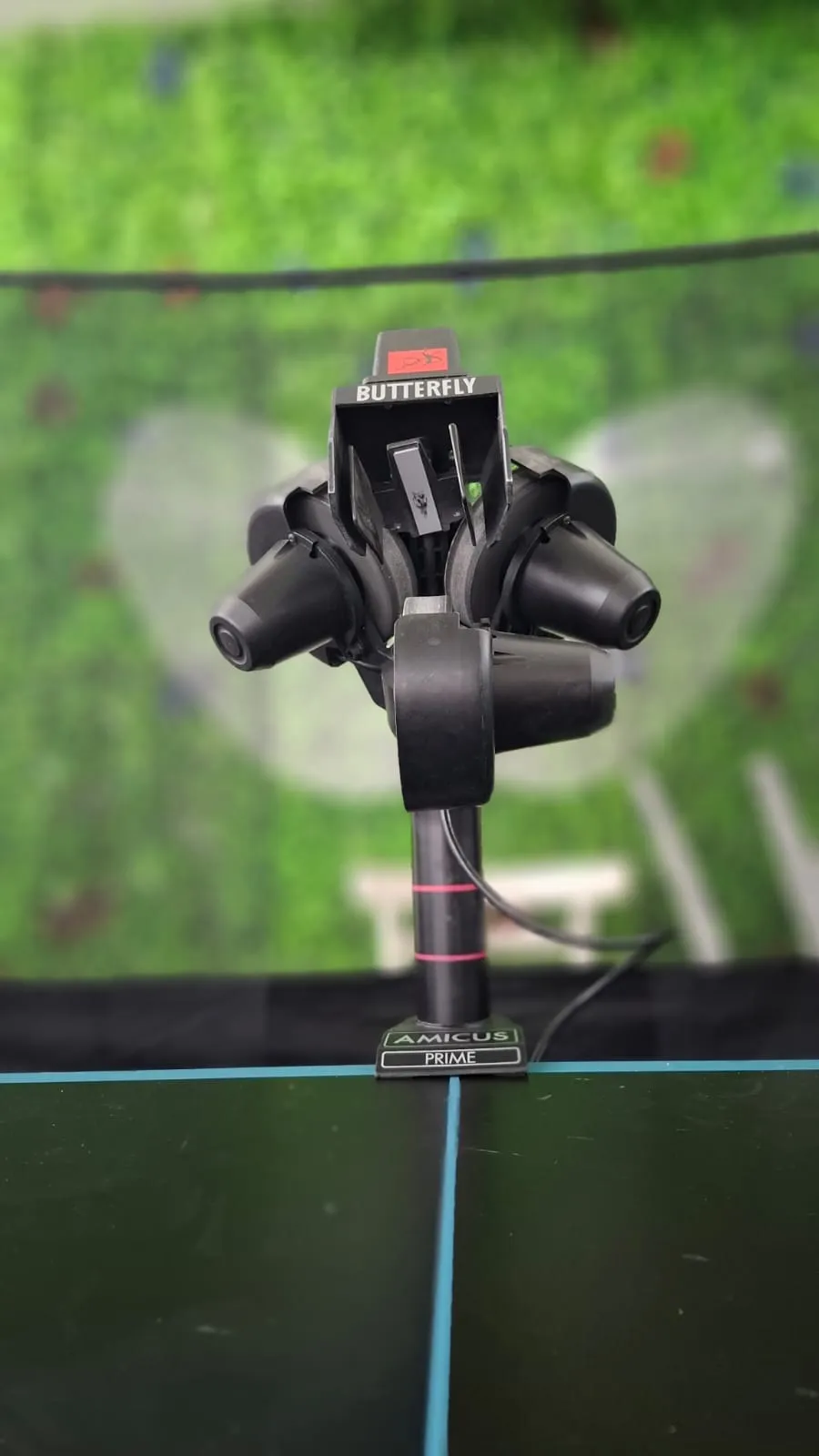 Three independent wheels in a triangle. The layout the rest of the spec sheet is built around.
Advanced Features
Programmable Drills: Up to 10 balls per sequence, each with independent speed, spin amount, spin axis, trajectory height (154 micro-steps) and timing. You can title and search drills, write notes against them, and store as many as your device’s storage allows.
Individual Frequency Control (IFC): Lower robots feed every ball at a fixed interval, which feels nothing like a real point. IFC lets each ball in a sequence have its own delay, so a high lob can sit in the air longer than a flat drive. Switch back to a robot without it and the metronomic feed feels jarring within two or three balls.
Service Detection: The app uses the tablet’s microphone to listen for the double-bounce of your own serve, then triggers the programmed return. It is the closest a robot has come to letting you practise third-ball attack alone, and it does work, provided the room is reasonably quiet.
21 Richard Prause Drills: Pre-loaded patterns from the former German national team coach, each with a synced HD video of Timo Boll or Tiago Apolonia executing the drill. Watch the pro, then step up and run the same incoming pattern. All 21 are fully editable and can be reset to factory if you wreck them.
.amicusgame File Sharing: Custom drills export as small files that can be emailed or messaged. A coach can build a drill from match video and send it to a student, who imports it with one tap. The drill library, in other words, can travel between players.
Setup and First Use
The unit ships in a heavy-duty Butterfly travel bag with wheels and proper handles. It is not a token bag thrown in to pad the box; it is something you would actually use to take the robot to a tournament.
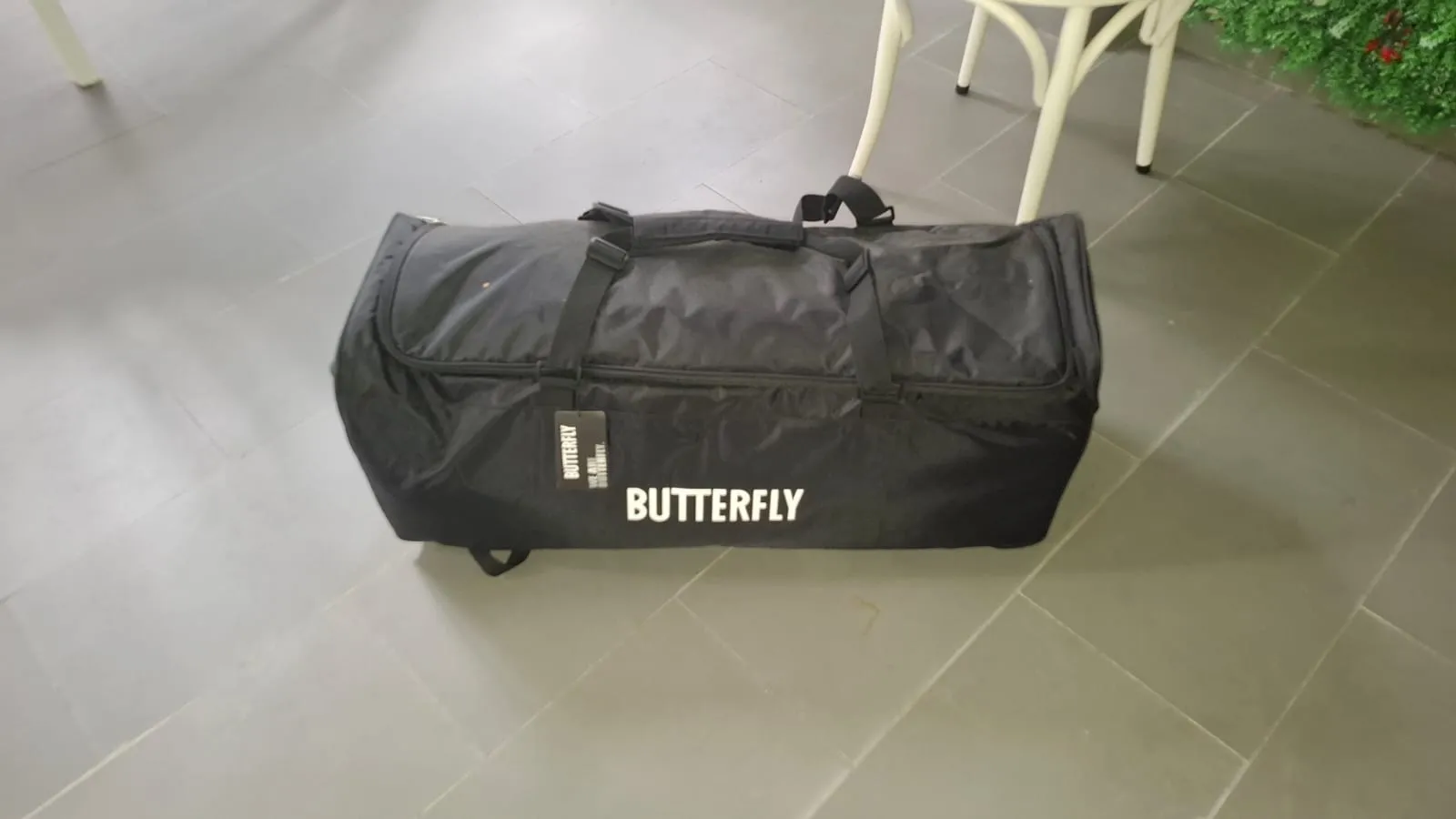 Wheels, structured shell, padded compartments. Travel-grade luggage.
Out of the bag you get the main unit (about 6 kg / 13.2 lbs), the collection net frame, the wireless remote, the bundled 8-inch Android tablet, the table mount with charging cable, and the accessory pouch with cables and tools.
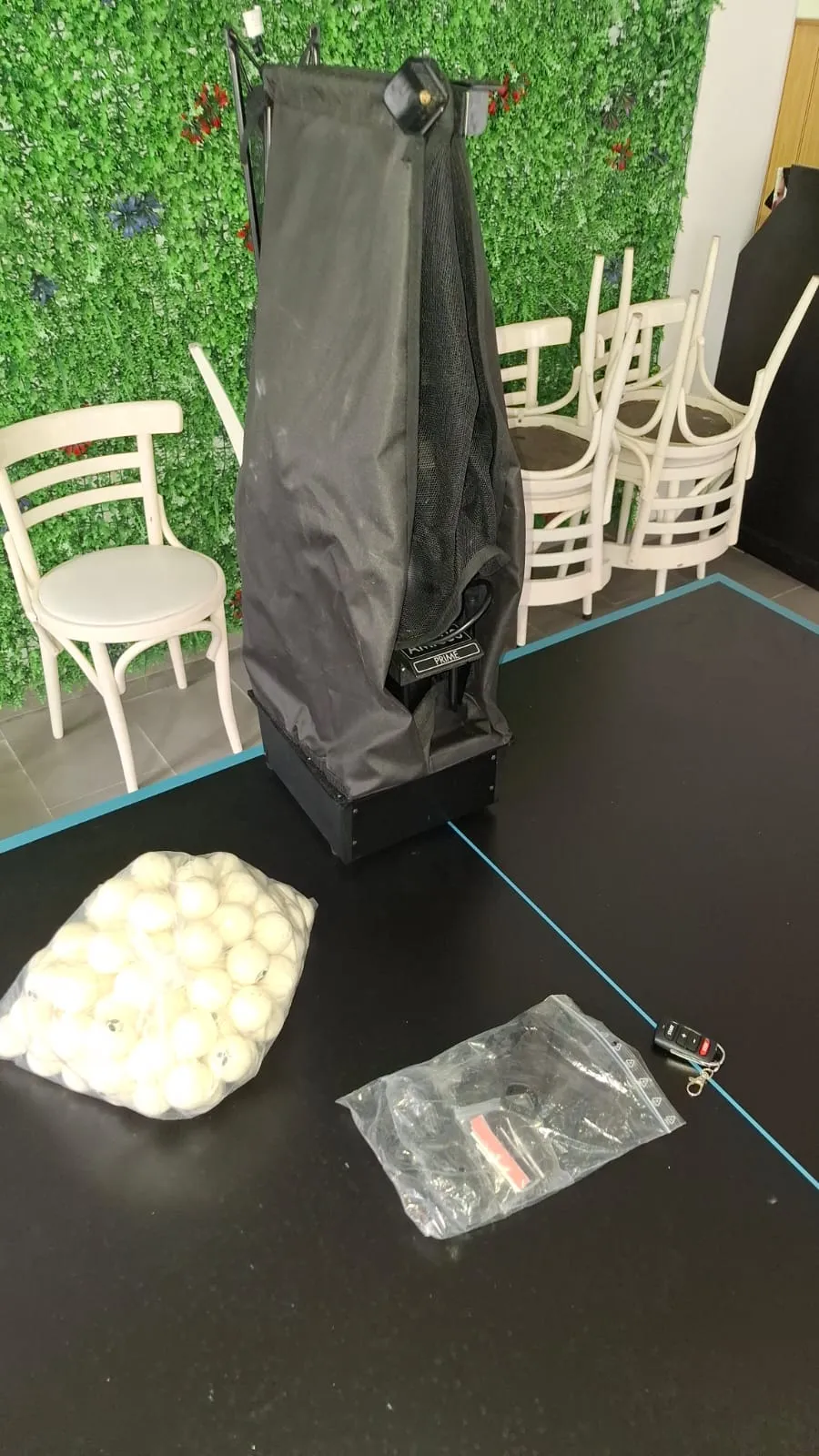 The standard package includes 120 official Butterfly training balls.
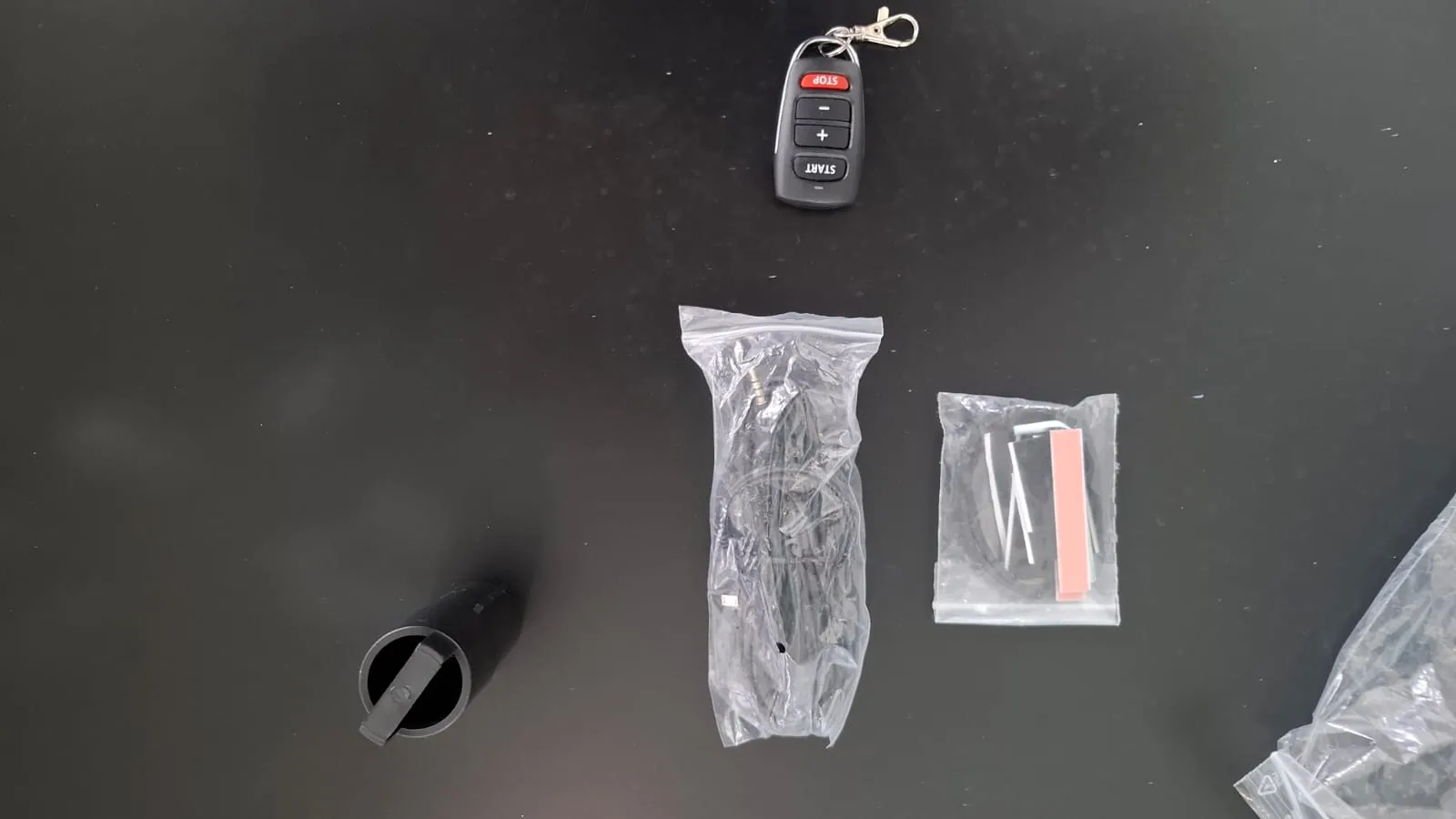 Wireless remote, charging cable, and a small bag of hardware.
First-time assembly is straightforward. The base clamps to the table edge (designed for surfaces up to 25mm; tables like the Stiga Optimum 30 need the support legs extended or the rubber tips removed), the projection head slots onto the post, the head cable plugs into the base, and the recycling net unfolds around the far end of the table.
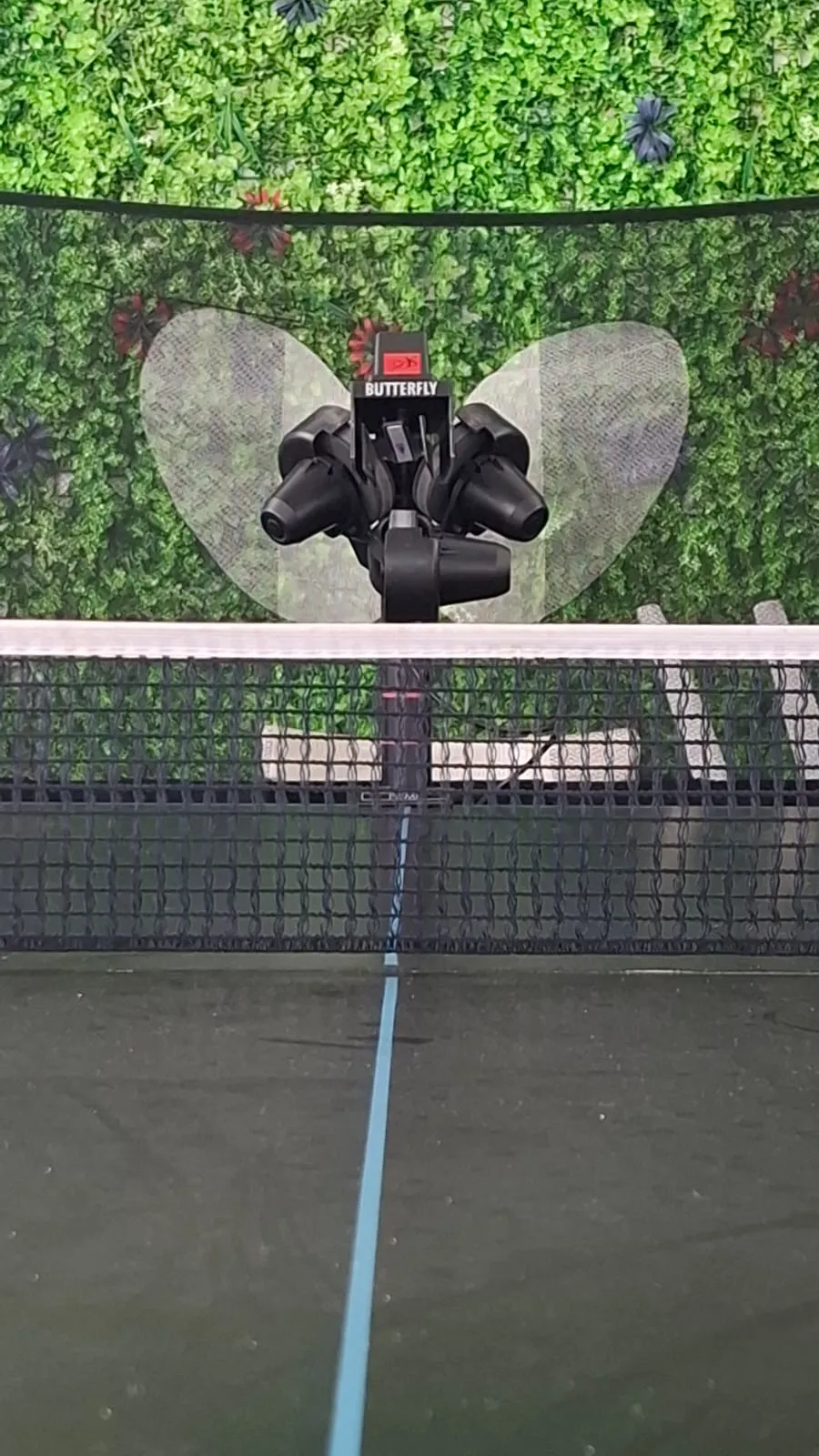 Mounted at the far end, ready to feed.
Build quality across the unit, the carrying bag, and the recycling net is uniformly solid. Nothing felt fragile coming out of the box, and nothing has loosened or rattled since.
Plan for ten to fifteen minutes of Bluetooth wrestling on day one if you stick with the supplied tablet. The workaround is in the App section below.
Performance Testing
This is where the Prime does its real work.
Spin And Realism
The three-wheel system is not a marketing line. The Prime can produce sequences cheaper robots simply cannot: a half-long, no-spin ball followed by a faster, heavier shot, for example, which mimics the awkward moment in a match where you have to open up a tricky push and then attack the opponent’s block. We could programme this exact pattern, run it repeatedly, and watch a previously inconsistent shot stabilise inside a single session.
For an upper-intermediate player, that is the difference between a robot that drills technique and a robot that drills decisions. Cheaper robots that lock spin to one axis cannot do it.
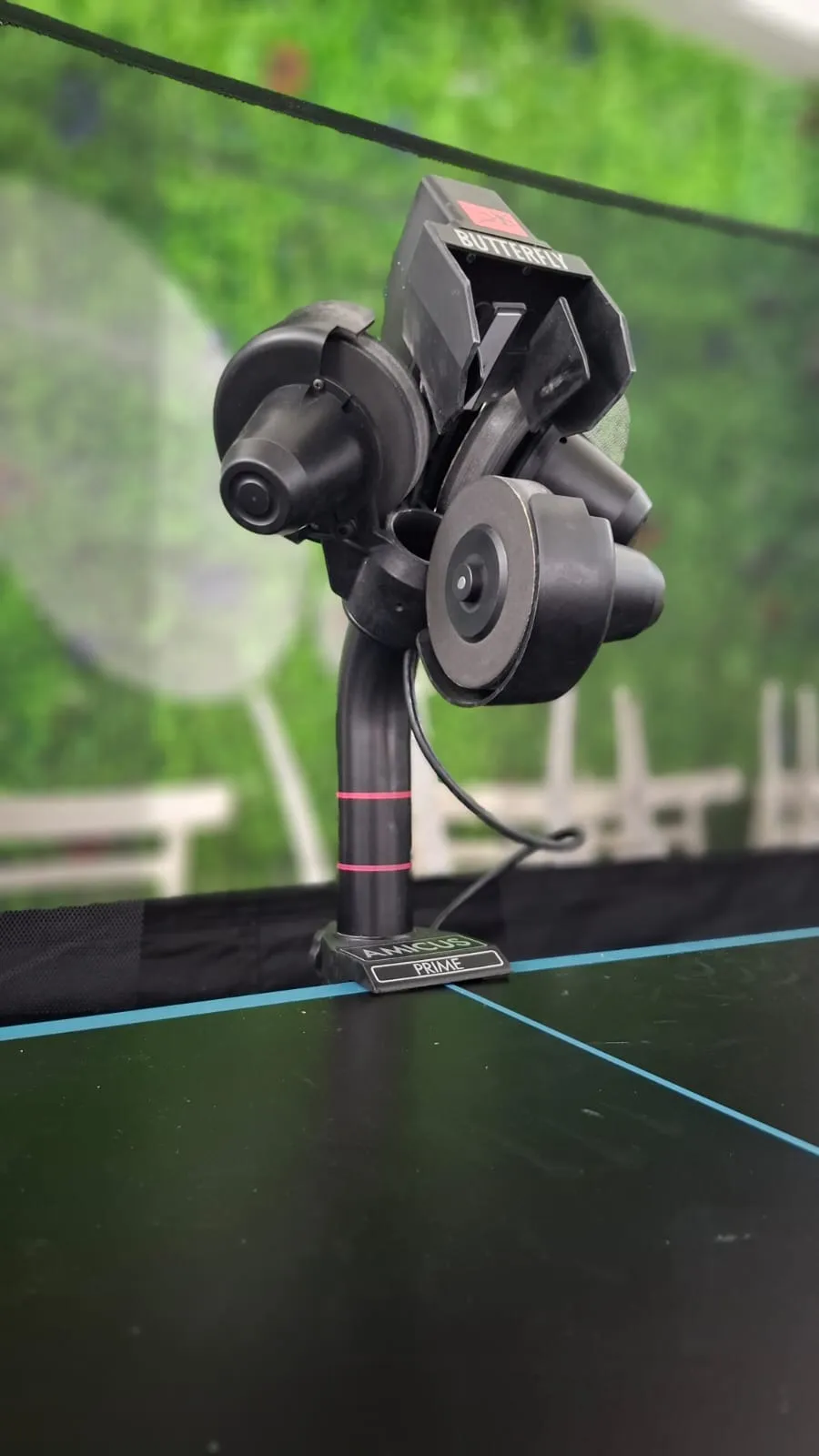 The deflector plate is the small grey curve under the wheels. Light enough to flip in under half a second.
Stochastic Modes
The Prime has eight randomisation modes. Three matter the most:
- Scatter: instead of placing the ball on a fixed 5-inch spot, it spreads it across a roughly 10-inch circle. Forces footwork adjustments rather than lazy reaching.
- Place: shuffles the order of the programmed shots in a sequence, so a 1-2-1-2 pattern runs unpredictably.
- Type: randomises spin amount and trajectory height inside the parameters you set, testing your read of the ball.
Stack all three on an 8-ball sequence and you have something close to live play. This is the feature that finally kills the “robot groove” problem, where you hit beautifully against a predictable machine but miss the same shot in matches because real opponents are never that consistent.
Recycling Net
The integrated net catches balls and funnels them back into the feed tube. In a one-hour session you never bend down to pick up a ball, which is the difference between a 20-minute drill and a 60-minute drill.
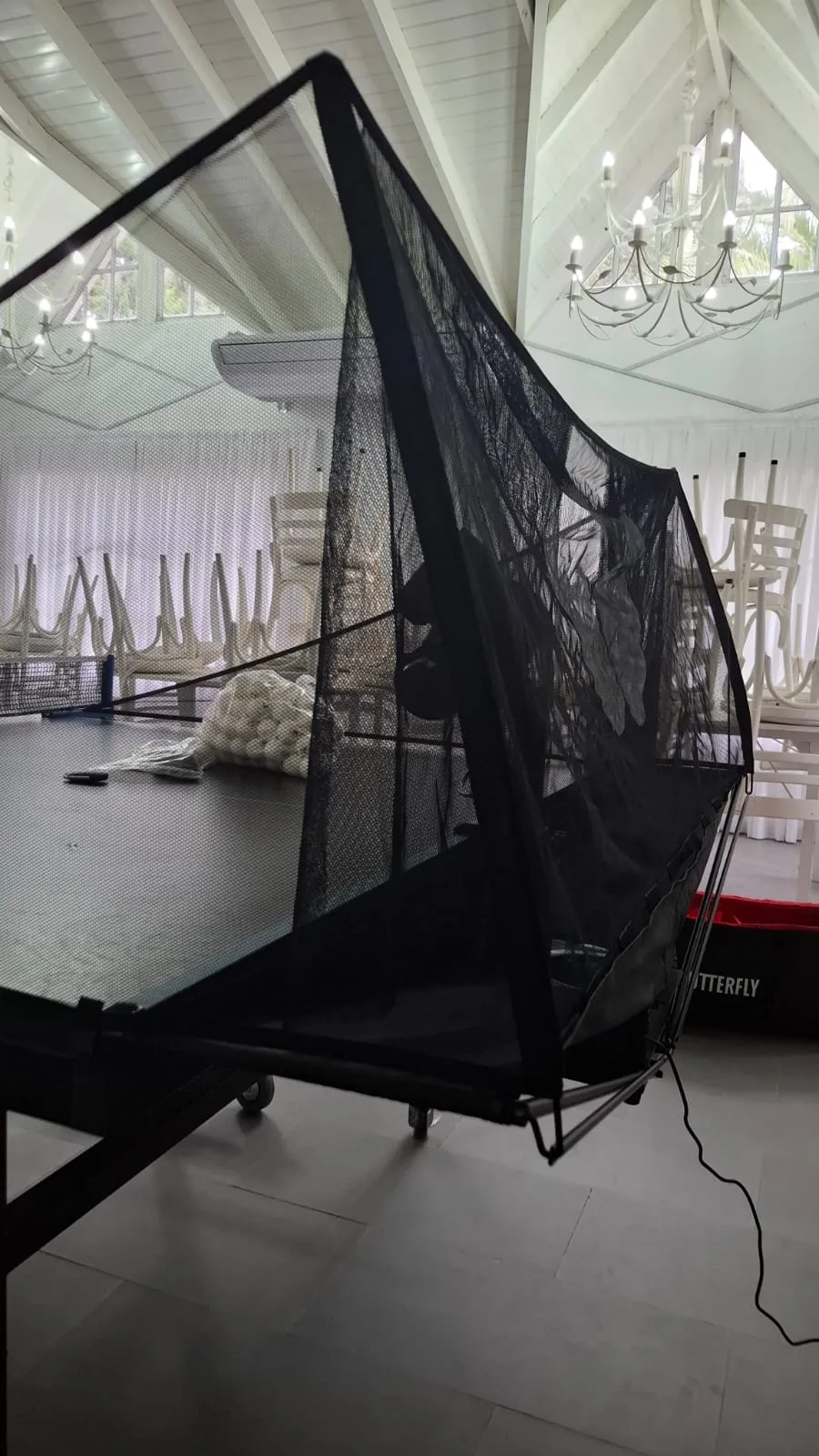 Catches the long balls, returns short balls via the angled side panels, recycles everything back into the feed tube.
Cycle Function (Interval Training)
The Prime has a dedicated work-rest interval mode. You can set 40 seconds of full-rate feeding followed by 20 seconds of rest, looping for a set time or a set ball count. For sport-specific cardio this is straight-up gym programming. Quick presets are 20, 40, 60, 80 seconds; custom ranges go from 10 to 120 seconds active and 5 to 60 seconds rest.
App and Control Experience
The app is the engine. It is also where the Prime trips on its own shoelaces.
The Bundled Tablet Is Bad
The 8-inch Android tablet that ships in the box is, to put it bluntly, rubbish. Slow boot times, sluggish touch response, and Bluetooth disconnections that can eat the first fifteen minutes of a session. It is the kind of budget device a flagship robot has no business being paired with.
Install the free Amicus app on any modern phone or iPad and the problem disappears. On reasonably current devices the same software is responsive, stable, and a pleasure to use. Take the bundled tablet out of the box on day one, set it aside, and run the app on whatever you already own.
This is honestly the only thing wrong with the Prime, and it is solved by every device made in the last three years.
The Interface Itself
Beyond the bad tablet, the app is excellent. The exercise list supports virtually unlimited drills, each with a title, a description (we label ours with the purpose, e.g. “footwork out of the middle”), and a search function.
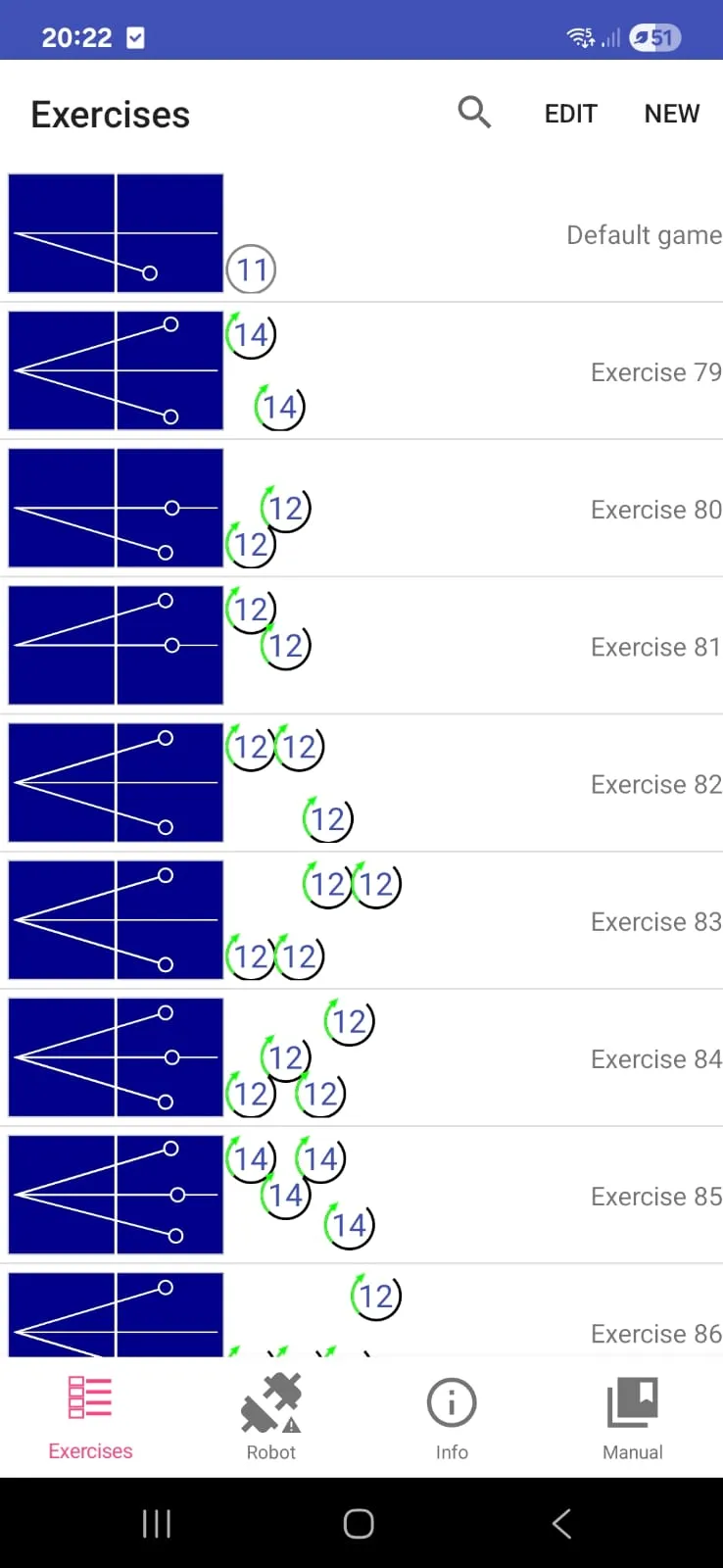 Drills are titled and searchable. The Expert model only gives you numerical IDs.
Drill construction uses both top-down and side-view diagrams of the table. You drop numbered icons for each ball, then tune speed (25 steps), trajectory height (154 micro-steps), and spin via slider controls. There is a “Sample” button to test-fire a single ball without running the whole sequence, which saves a lot of trial-and-error.
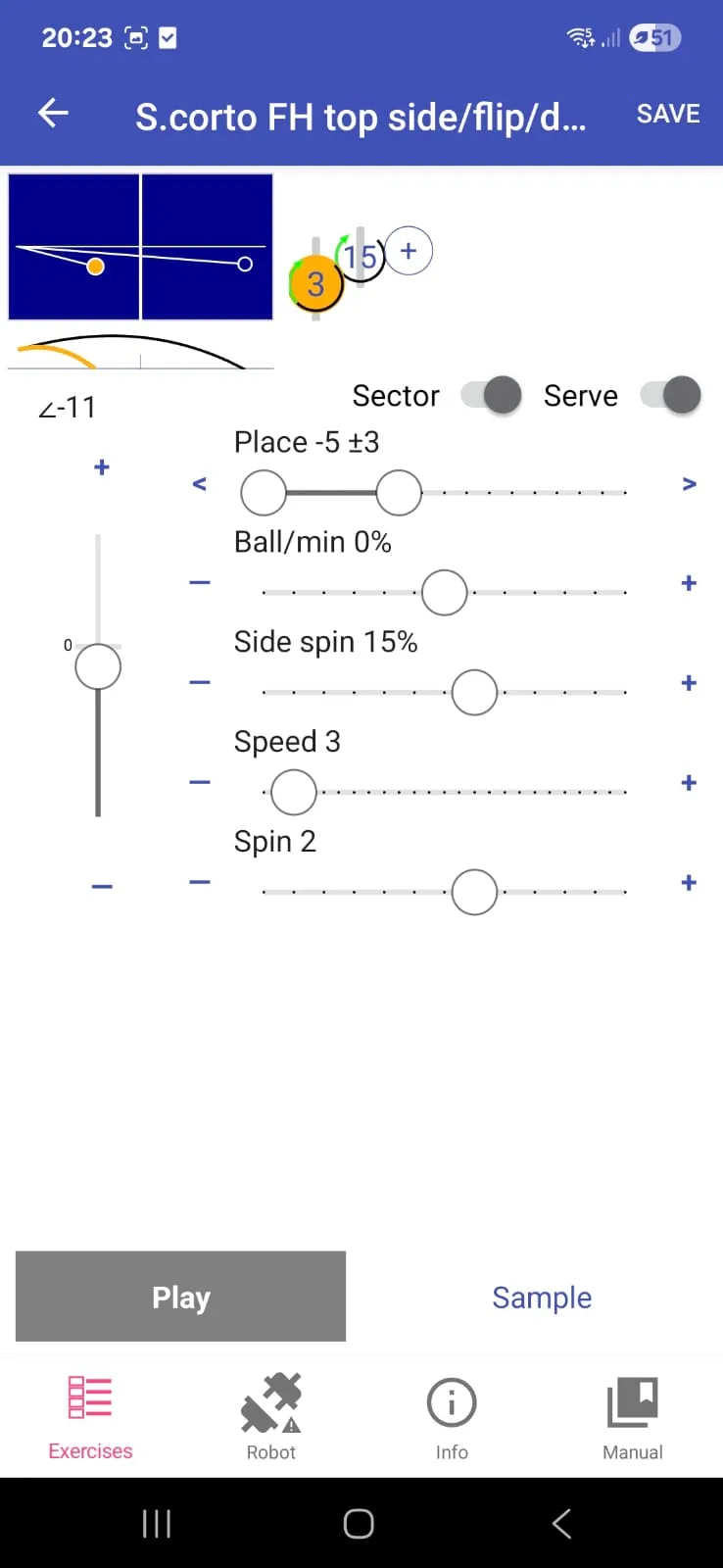 Speed, spin, height, side spin, frequency. Every parameter on this screen is a slider.
Building a complex 10-ball drill from scratch involves a lot of sliding and tapping. Designing five new drills back-to-back gets tedious quickly, even though each individual step is straightforward.
The Wireless Remote
A small physical remote with Start, Stop, plus and minus buttons clips to your keyring. You set up drills on the app and use the remote to start, stop, and adjust speed from your playing side of the table without walking back to the tablet between sets.
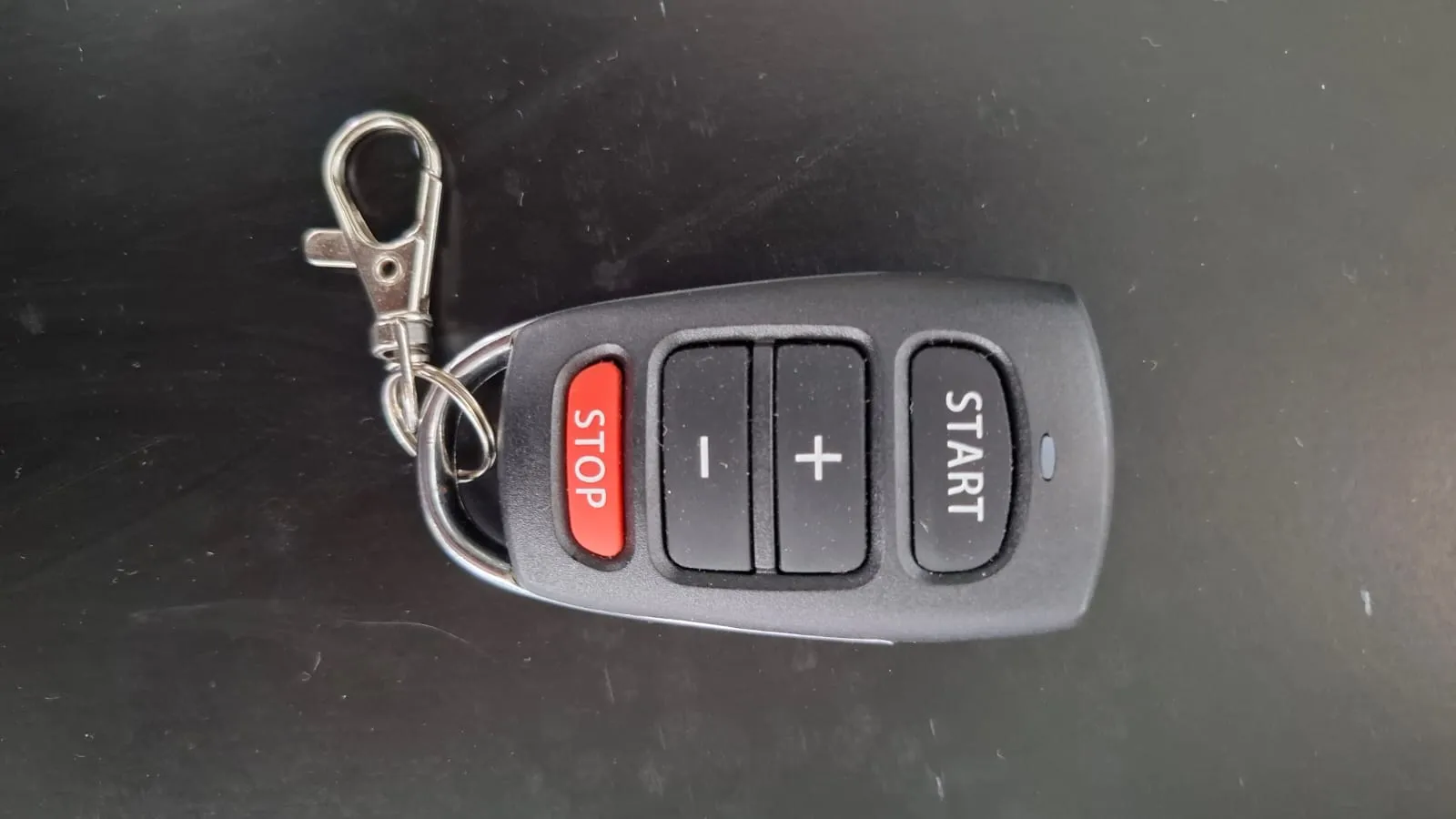 Small remote, big quality-of-life difference. Pause without walking back to the tablet.
Bluetooth Pairing Quirks
Worth flagging because it traps everyone the first time. The Prime must never be paired through your phone or tablet’s system Bluetooth menu. The app handles the handshake itself. Pair through the OS by accident and the app crashes on the loading screen until you forget the device.
You also need to grant location, microphone (for Service Detection), and storage permissions. And only one device within 33 feet should have the app open at once, or the robot latches onto the wrong one.
Once you know the rules, it is fine. The first session, before you know the rules, is annoying.
Durability and Build Quality
50+ hours into our testing, nothing has broken or come loose. The wheels are a specialised synthetic sponge rubber with a proprietary grip coating; clean them with damp microfibre and water, never alcohol, and they should outlast the warranty by a long way. Alcohol strips the rubber’s natural oils and kills the grip permanently, which is the single most common way owners destroy their wheels.
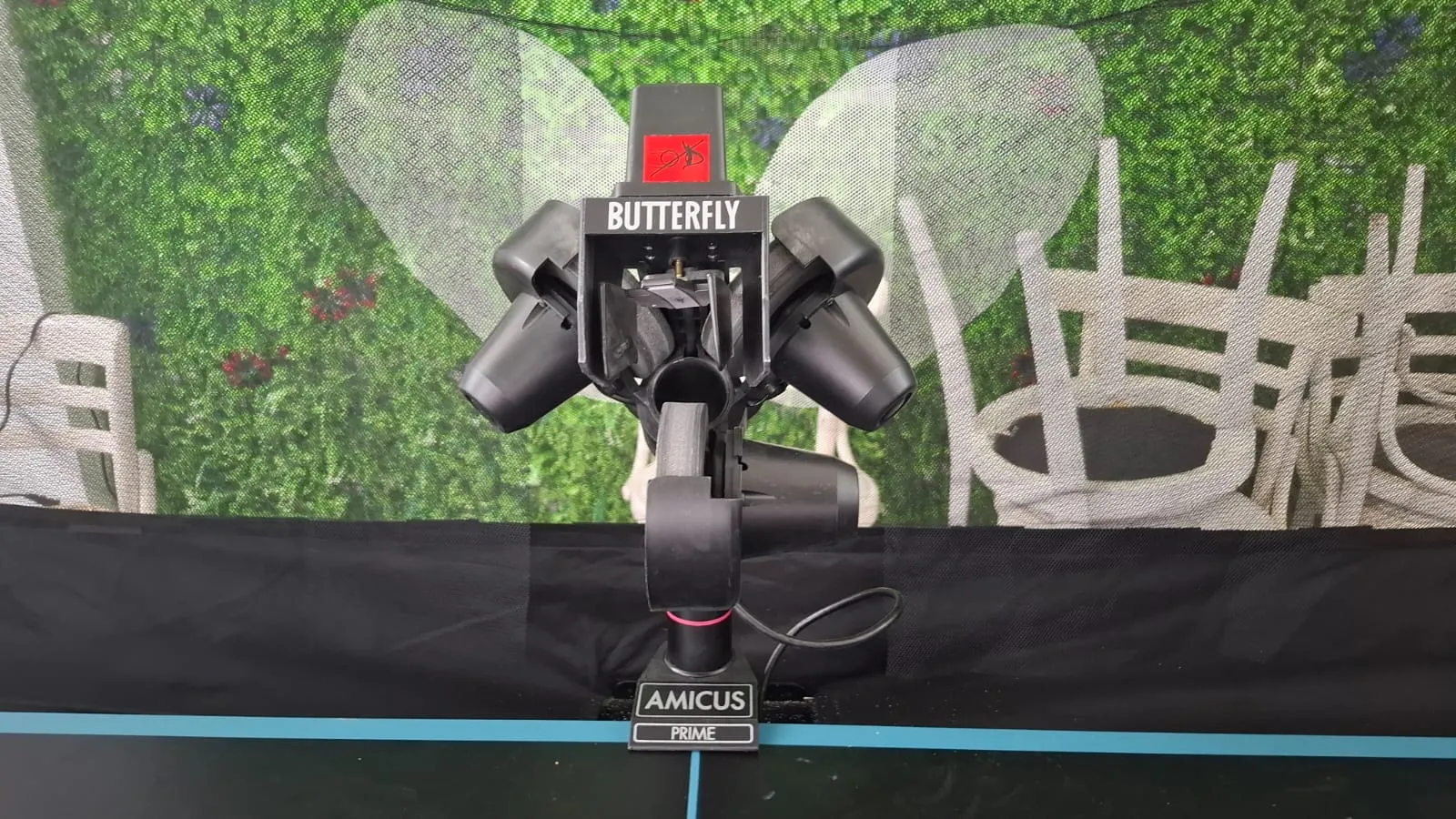 Solid plastic chassis, weighted base, no obvious wear after months of use.
The warranty itself is 3 years on parts and labour, plus a 5-year guarantee on parts availability. North and South American claims go through Bowmar Sports, who multiple buyers have reported handle replacements quickly.
One real concern for anyone outside the major distribution regions: parts and service. Butterfly does not publish a service manual, so if something fails out of warranty in a country without an authorised distributor (much of South America, parts of Asia and Africa), finding a technician will be hard. That is worth weighing at this price point.
Value for Money
This is the real argument.
The Prime’s MSRP is around $2,500 USD, and Megaspin regularly discounts it to roughly $2,000 on sale. Either way, it is genuinely expensive. For context, the PongBot Nova S Pro retails at $349 and covers fundamental drilling well; the Power Pong Omega uses identical Hungarian-built hardware to the Prime at a similar price; the Newgy 3050XL is cheaper but uses an older two-wheel design with more mechanical lag.
So the Prime’s case is narrow but real:
- You train alone often enough that the time saved by the recycling net pays back.
- You need the spin extremes (heavy backspin opens, sidespin variations, dead-ball alternations) that only a three-wheel system delivers.
- You want Service Detection to drill third-ball attack solo.
- You want the shareable custom drills and pro-coach drill library.
- You value Butterfly’s brand, support, and resale value.
If most of those apply, the Prime is worth its price. If they don’t, save your money and look at the tier below.
Refurbished Path
Butterfly’s refurbished programme is worth knowing about. Grade A units (practically new, full 3-year warranty) sit around $1,800. Grade B units (minor cosmetic wear, full functionality) drop to roughly $1,700. Same hardware, same software, lower risk than buying second-hand from a stranger.
Alternatives to the Butterfly Amicus Prime
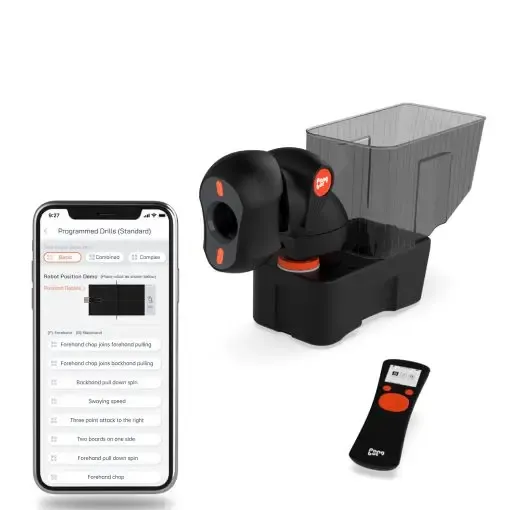
PongBot Nova S Pro
The value play at a fraction of the price. Fixed-base, no recycling net, but an excellent app and customisable drills. Most home players should start here.
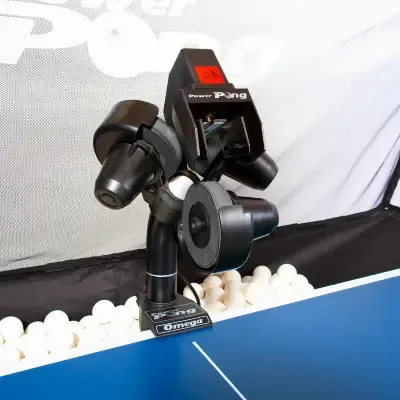
Power Pong Omega
Identical Hungarian-built hardware to the Amicus Prime with slightly more stable app behaviour and an optional physical control box. Similar price; weaker brand and weaker after-sales support.
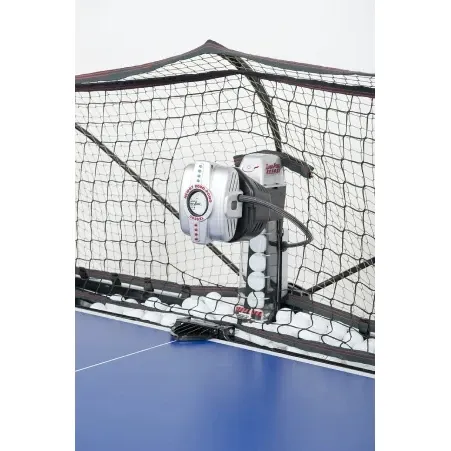
Newgy Robo-Pong 3050XL
Cheaper premium option with two-wheel articulating head and integrated recycling net. More mechanical latency than the Prime; historically more software issues.
Final Verdict
The Butterfly Amicus Prime is the most capable consumer table tennis robot we have tested. The three-wheel head produces spin variations no human partner can match, the app turns the machine into a programmable coach, and the recycling net keeps you on the table for an hour at a time without a break.
It is also the most expensive consumer robot, with a bundled tablet that is so bad it borders on insulting, and Bluetooth pairing rules that punish you for ignoring the manual. The tablet is fixable in five minutes with any modern phone. The price tag is the harder objection, and for many home players it will be the deciding one.
If there is one line that crystallises the Prime, it is this: it is the closest a robot has come to being indistinguishable from a tireless training partner who happens to have impossible spin.
Who Should Buy It
Who Should Look Elsewhere
For most readers, the right next step is our guide to using a robot as a training partner, which applies whether you eventually buy the Prime or one of the cheaper alternatives.



Comments